Packs
One page for every deal.
A pack is a page that you prepare for one customer. Put your files, your intro and the logo of the customer on it. Each reader signs in by email. You see the reading time per reader and per file.
Free for one seat. Readers never pay.
Content
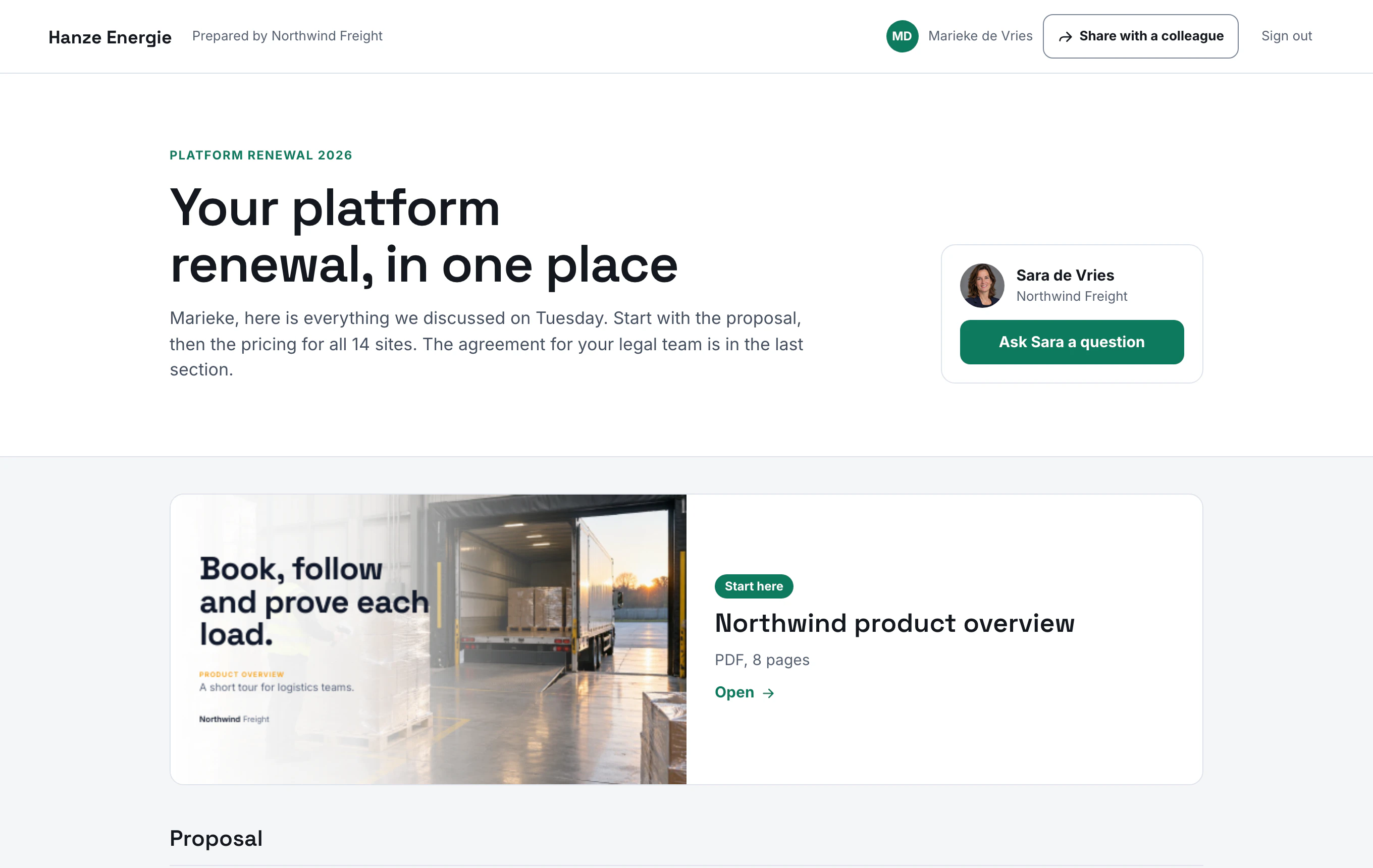
Build a pack fast.
Add files from your library, or upload a file for this customer only. Put the files in sections and write your own intro.
- One page shows decks, PDF, Word, sheets and video.
- Replace a file in your library and every pack shows the new version.
- A file that you upload for one customer stays out of your library.
Theme
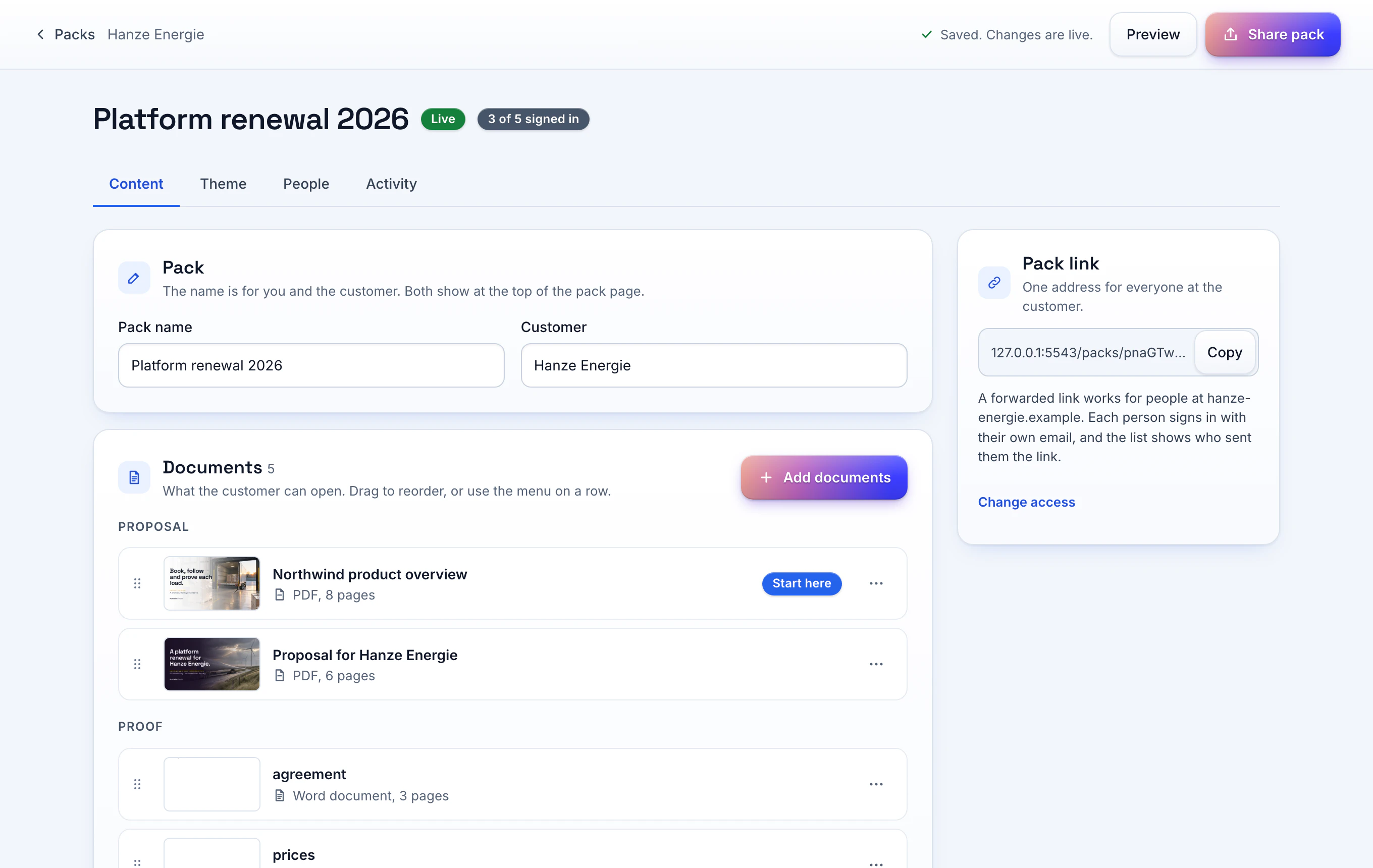
Match the customer's brand.
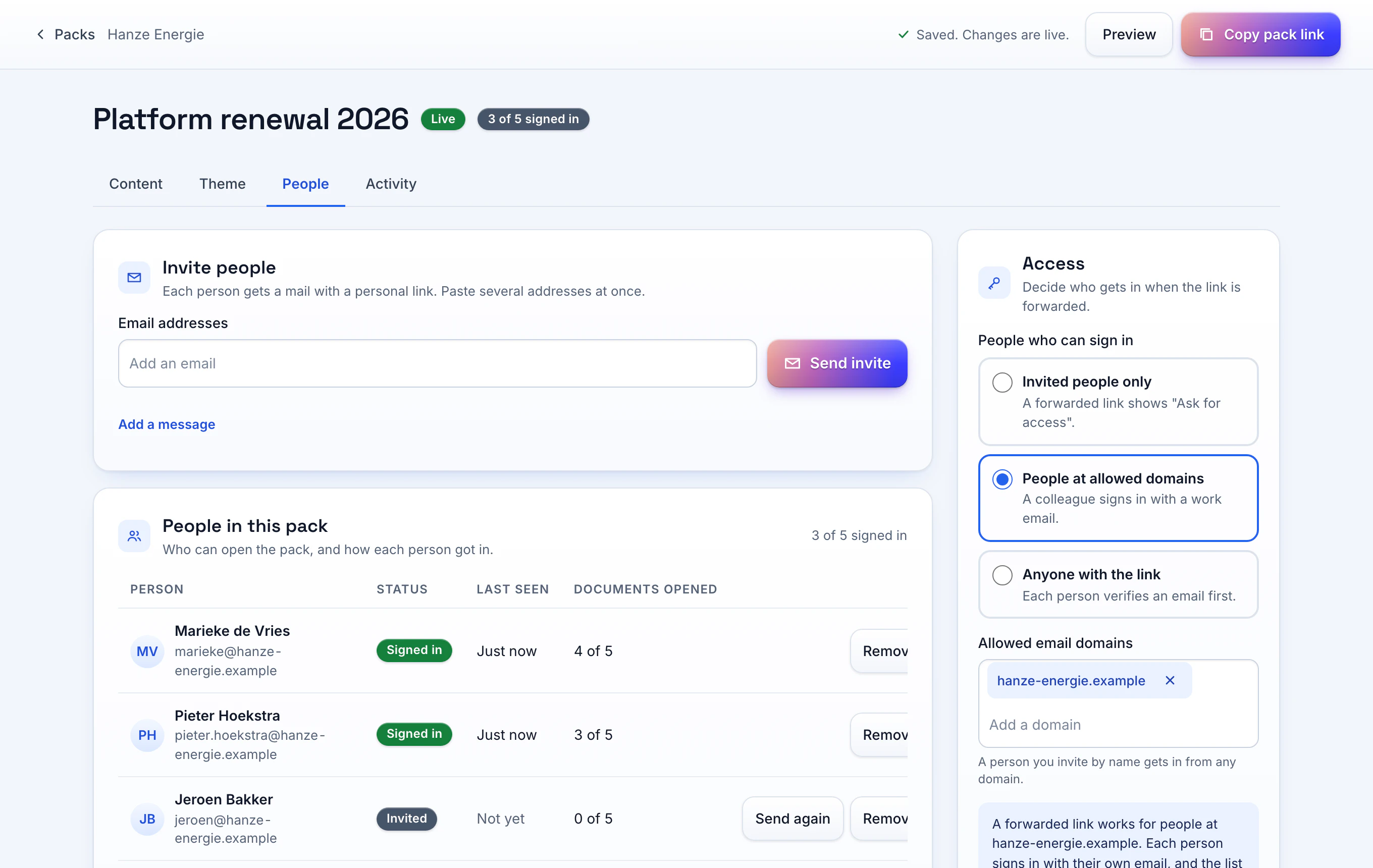
Put the logo of the customer at the top of the page. Pick a theme, then set the accent colour and the heading font.
- Start from one of three themes: Paper, Midnight and Cover photo.
- Set the colour of the page and the colour of the cards.
- Choose sharp, soft or round corners.
- The logo, the theme and the cover photo are on the Pro and Team plans.
Sign-in
No password for readers.
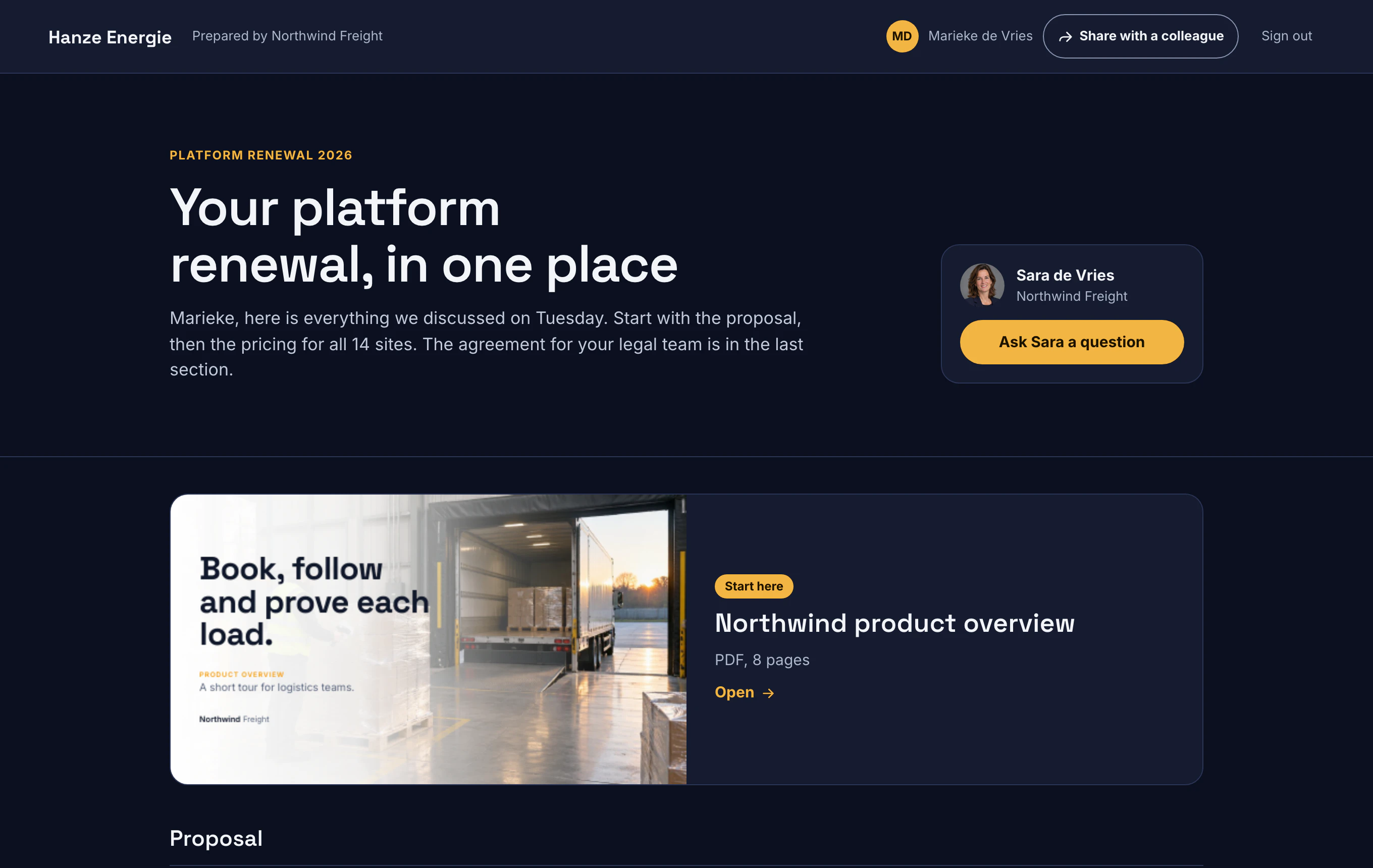
Invite each reader by email. Each reader gets a personal link and signs in with one click. You choose the readers who get access.
- Allow invited readers only, readers at the email domains you name, or each reader who verifies an email.
- A colleague who opens a forwarded invite signs in with their own email.
- A reader can share the pack with a colleague. You see the reader who sent the link.
- Set a closing date, and switch downloads on or off.
Activity
Reading time per reader.
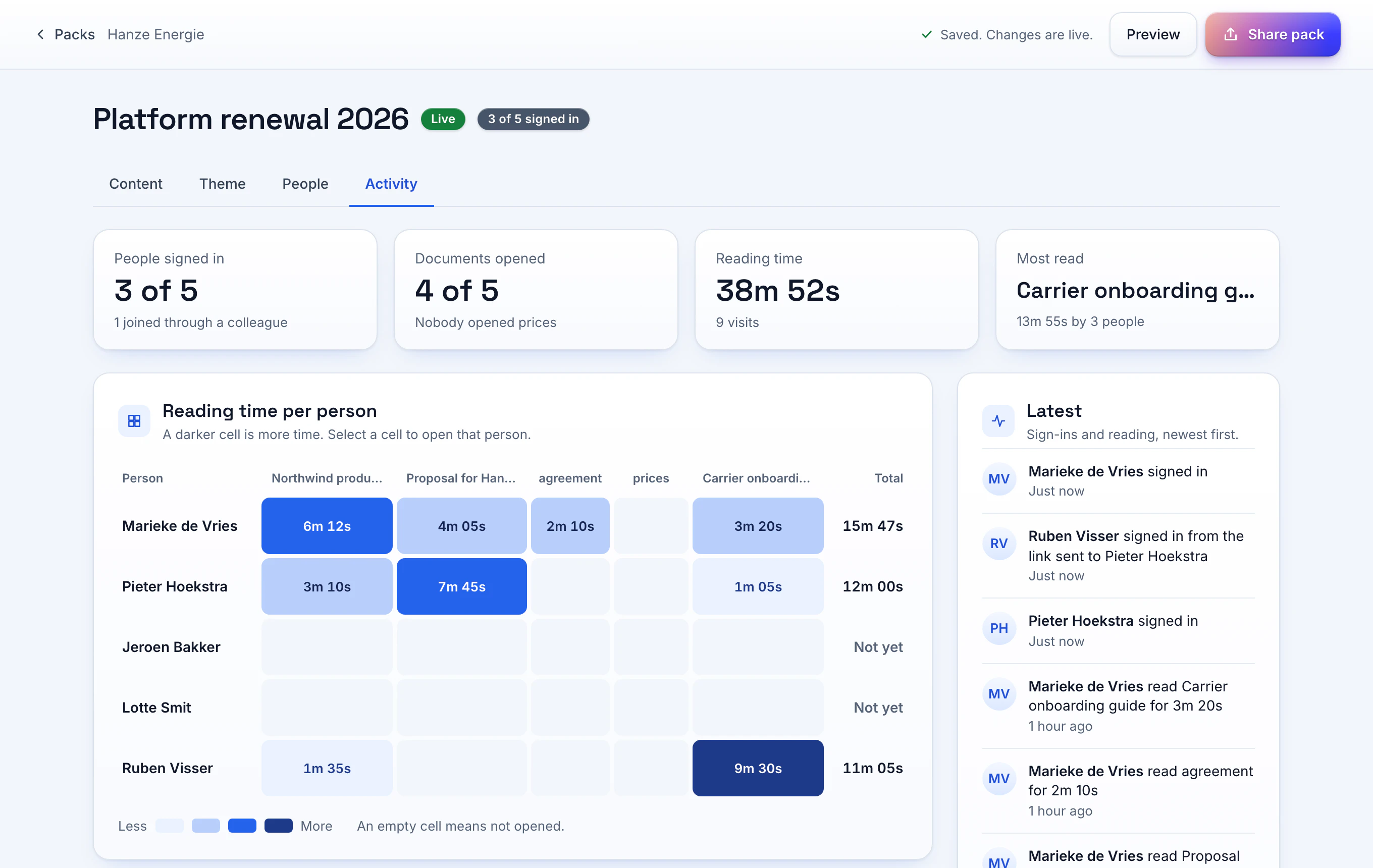
You see the time that each reader spent on each file. The Activity tab shows one cell per reader and file.
- A reader who did not open a file has an empty cell.
- You see the files that nobody opened.
- Each reader sees a tracking notice on the pack page.
One link per customer
Send one address. The address stays the same when you add or remove a file.
Free for every reader
A reader signs in with an email link. You pay for the people on your team only.
Files stay in the EU
Phase stores the files of a pack on servers in the EU, unless a file is in a secure folder.
Your questions answered
Is a pack the same as a pitch?
No. A pitch is one set of slides behind a link. A pack is a page with several files for one customer.
Can a customer invite a colleague?
Yes, when you allow it. The colleague signs in with their own email and appears as a separate reader.
Do readers need a password?
No. The reader signs in with the personal link in the invite email.
Which plan has packs?
Every plan. Free has one active pack. Pro and Team have unlimited packs, the customer logo, the theme and sign-in for an email domain.
Send your first tracked link today
Free for one seat. New workspaces get 14 days of the Team plan without a card.