Links and access
Choose the readers of every link.
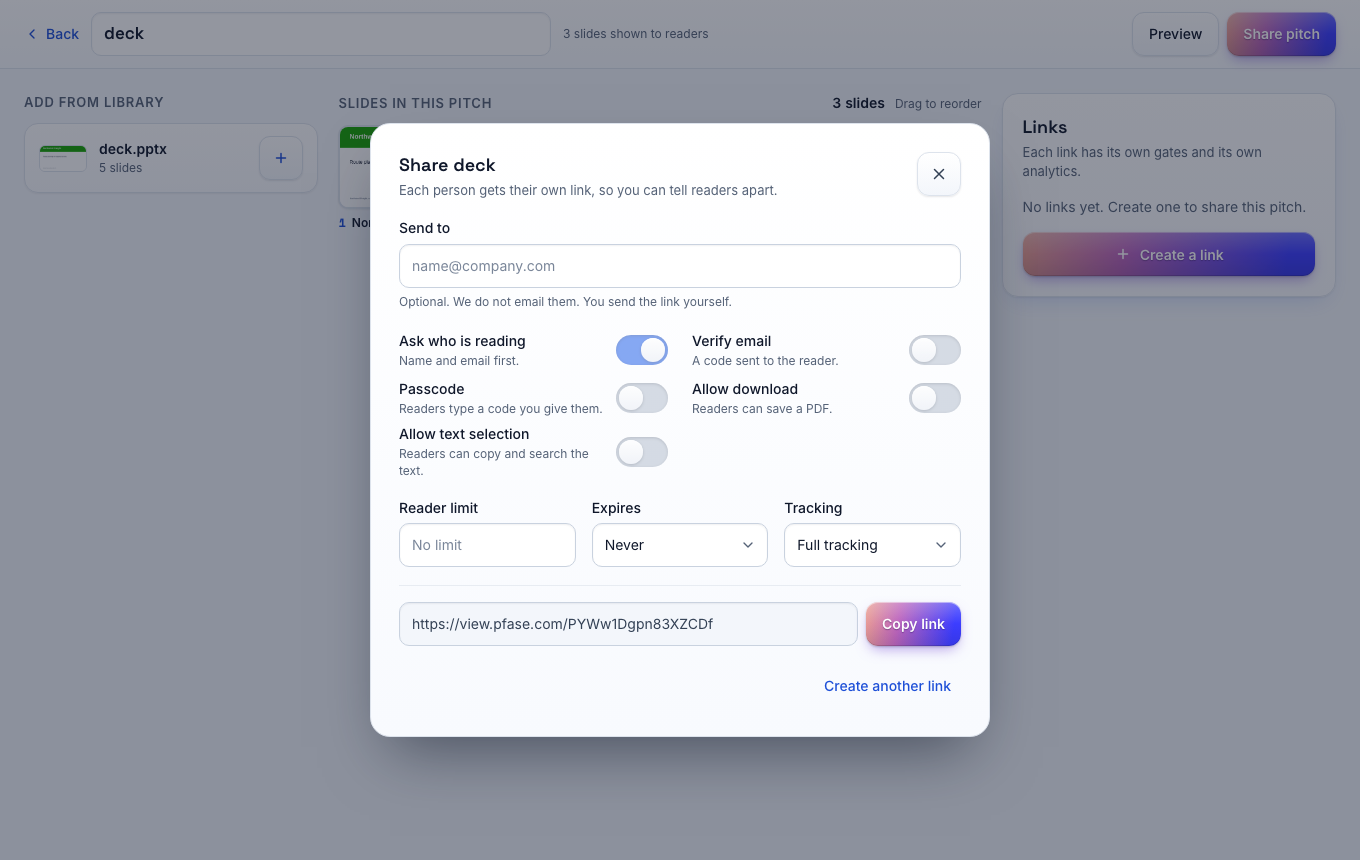
Each person gets a link with its own settings. You can change or disable a link at any time, and the file stays in your library.
Free for one seat. Readers never pay.
Links
One link per person.
Create as many links as you need for one pitch. Each link has its own recipient, settings and analytics, so you can tell your readers apart.
- Workspace defaults fill in the settings of each new link.
- Quick share makes a tracked link for a single file.
Gates
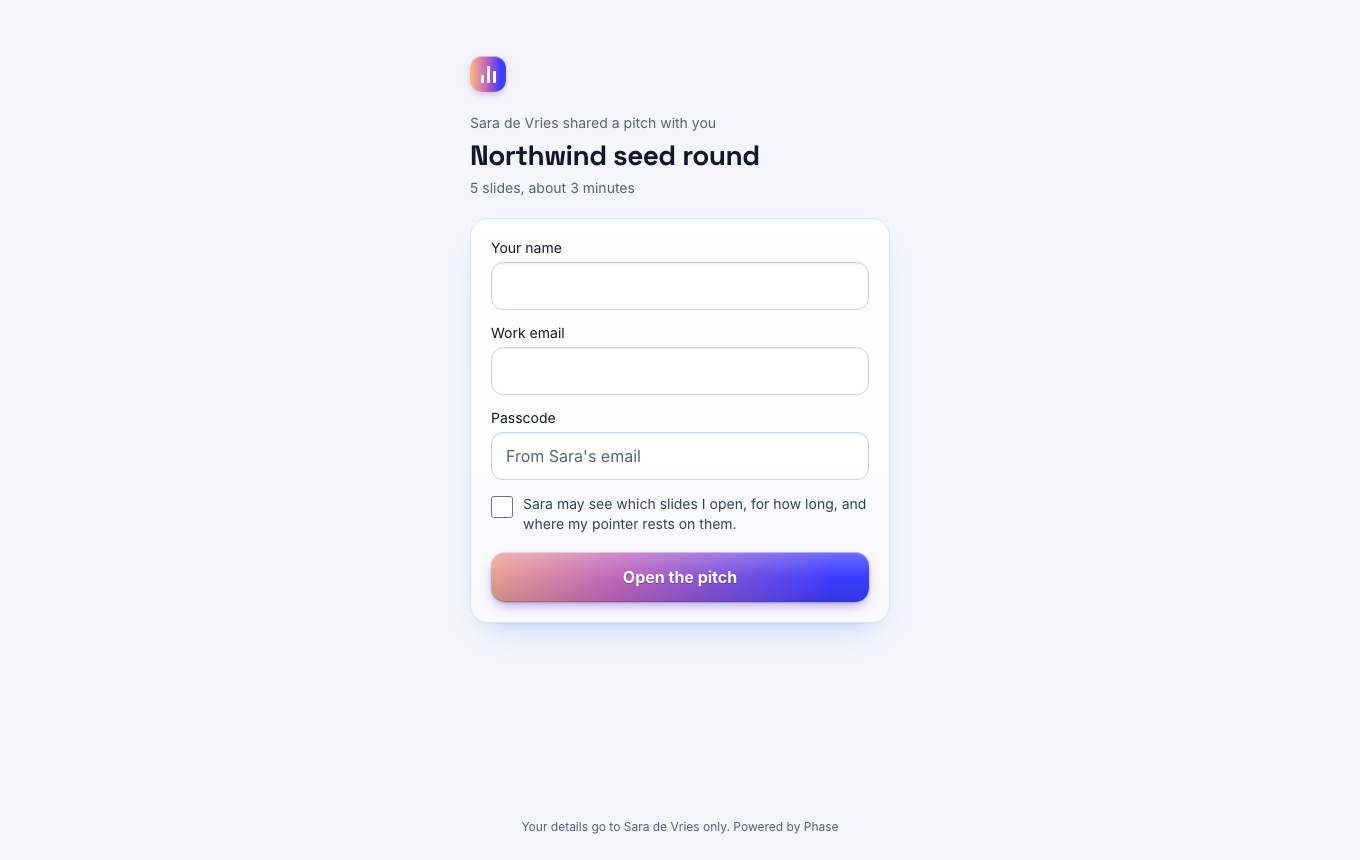
Checks before the first slide.
Pick the checks that fit the document. A teaser can open with one click and a contract can ask for a verified address.
- Ask who is reading. The reader gives a name and a work email.
- Verify email. Phase sends a 6-digit code to the address.
- Passcode. The reader types a code that you give them.
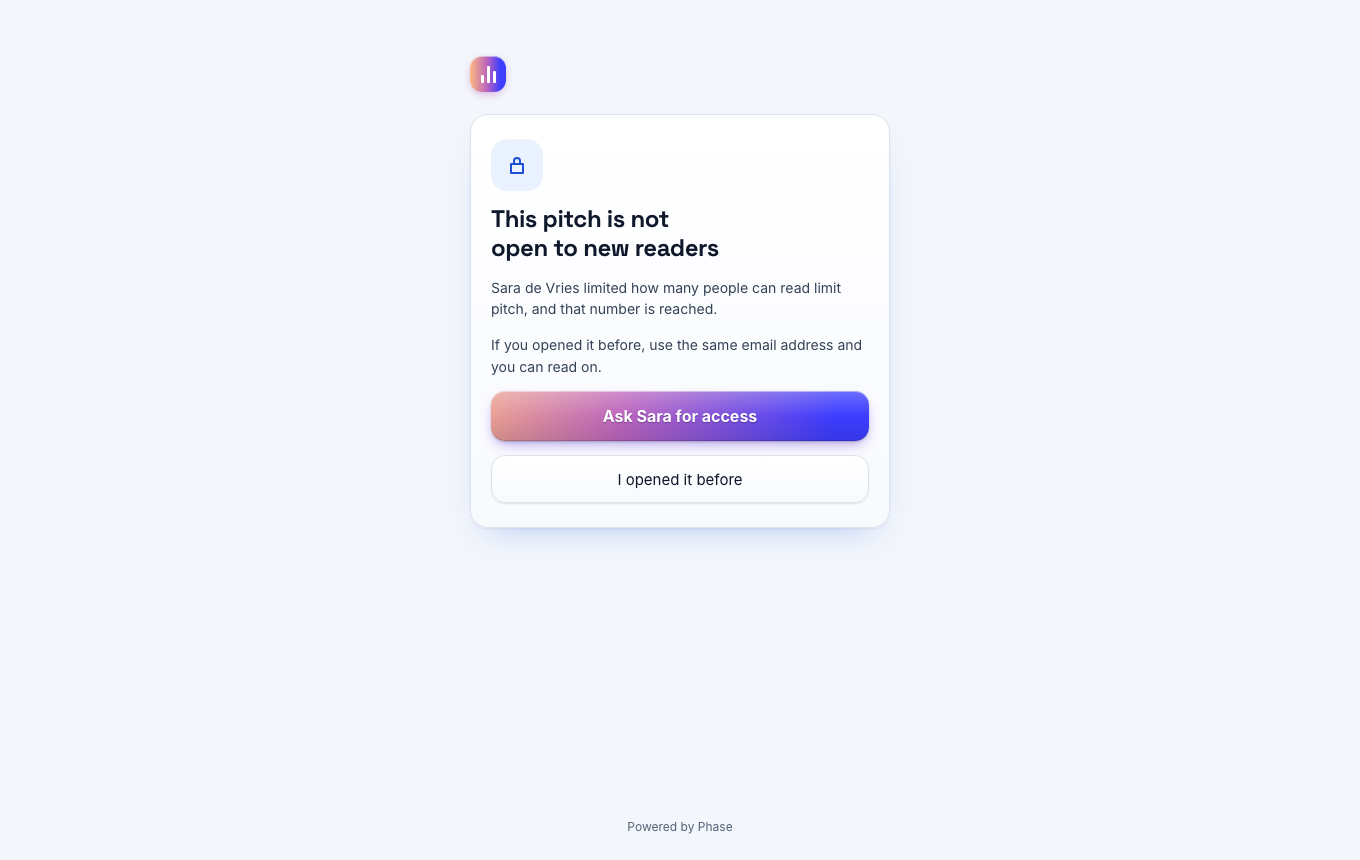
- Reader limit. You cap the number of people on one link.
Limits
Limits on the content.
A link controls more than the door. You also decide what a reader can take away.
- Set an expiry date, or disable the link by hand.
- Switch download on or off per link.
- Switch text selection off and the text is not sent to the browser.
- Block one person on every link that verifies email.
- Allow or block email domains for the whole workspace.
Requests
Access requests by email.
A refused reader can ask you for access from the same page. You get the request by email and you decide.
Privacy
Links with tracking off.
Some readers must stay private. A link with tracking off shows the file and records no analytics.
Rate limits on codes
Phase limits wrong passcodes and email codes per link.
A notice for the reader
The first page says what the link records.
Changes apply at once
A disabled link stops on the next page load.
Your questions answered
Which checks are on the Free plan?
Name and email, passcode, expiry, download and text selection. Email verification, reader limits and blocking are on Pro.
Can I change a link after I sent it?
Yes. Open the link in the share dialog and change any setting. The address of the link stays the same.
Does Phase add a watermark?
No. Phase has no watermark and no NDA step today.
Send your first tracked link today
Free for one seat. New workspaces get 14 days of the Team plan without a card.